
6 Best USA VPS Hosting Providers Compared (2026)

6 Best USA VPS Hosting Providers Compared
LightNode is our best overall USA VPS pick for flexible Linux and Windows workloads, including websites, business applications, remote desktops, and scalable cloud deployments. It combines Silicon Valley and Washington locations, hourly billing, and a public network test. VPSServer is the strongest alternative for wider US location coverage, while Cloudzy offers the lowest comparable promotional price for a 2 GB plan in this comparison.
There is no single best US VPS for everyone. Choose a West Coast location for audiences in California and much of Asia-Pacific, an East Coast location for New York and transatlantic traffic, or Dallas for more balanced coverage across the continental United States.
Last checked: July 30, 2026. Prices below are advertised starting prices, not performance-adjusted scores. Taxes, Windows licences, IPv4, backups, promotions, contract terms, and regional availability can change the final price.
Affiliate disclosure: Some links on this page are affiliate links. VPS SOS may earn a commission at no extra cost to you. Commission does not change the comparison criteria, limitations, or pricing notes published below.
Quick Verdict
| Best for | Provider | Why it stands out |
|---|---|---|
| Best overall for flexible use | LightNode | Two US regions, hourly billing, Linux/Windows, public node test |
| Best for broad US location choice | VPSServer | Multiple East, Central, and West Coast locations |
| Lowest comparable 2 GB promotional price | Cloudzy | $7.48 promotional price and five advertised US regions |
| Best-known developer cloud | Vultr | Mature cloud platform, hourly billing, and Looking Glass |
| Hyper-V workloads | HostAccent | Advertises Windows and Linux VPS on Hyper-V |
| Budget KVM VPS | HostUS | 2 GB plan from $10.95 and several advertised US locations |
USA VPS Comparison
| Provider | Advertised US locations | Starting price* | Billing | Windows | Public network test | Best use |
|---|---|---|---|---|---|---|
| LightNode | Silicon Valley, Washington | $7.71/mo or $0.012/hr | Hourly / monthly | Yes | Silicon Valley test | Websites, business apps, Windows/Linux |
| VPSServer | New York, Dallas, Chicago, Atlanta, Miami, Los Angeles, Silicon Valley, Seattle | $14/mo | Usage based / monthly | Yes | Location directory | Choice of US cities |
| Cloudzy | Utah, Dallas, Los Angeles, New York, Miami | $7.48/mo promotional; $14.95 regular | Hourly / monthly / yearly | Yes, confirm licence | Looking Glass | Price-sensitive US workloads |
| Vultr | Multiple US regions | Check configurator | Hourly / monthly cap | Yes, licence extra | Looking Glass information | Developers and APIs |
| HostAccent | USA; exact availability varies | $14.99/mo | Monthly | Yes | Not clearly published | Hyper-V users |
| HostUS | Atlanta, Dallas, Los Angeles, Washington | $10.95/mo | Monthly | Available; confirm licence | Not clearly published | Budget KVM hosting |
*Starting prices are not directly equivalent: CPU, RAM, storage, bandwidth, IPv4, operating-system licences, introductory discounts, and minimum terms differ.
How We Evaluated These USA VPS Providers
This is an editorial comparison of publicly available provider information, not a controlled hands-on benchmark. We compared:
- whether the provider clearly identifies real US deployment regions;
- starting price and minimum commitment;
- hourly billing or easy cancellation;
- Linux and Windows availability;
- access to a Looking Glass, test IP, or speed-test page;
- clarity about virtualization, storage, bandwidth, and limitations.
We give more weight to verifiable location and billing information than to marketing claims such as “ultra-fast” or “best.” Before purchasing, open the provider’s order page, select the exact US region and operating system, and confirm the final configuration and price.
Which US VPS Location Should You Choose?
| Your main audience or workload | Practical first choice | Why |
|---|---|---|
| California, US West Coast, Asia-Pacific | Silicon Valley, Los Angeles, Seattle | Usually the shortest route to West Coast users and Pacific networks |
| New York, US East Coast, Europe | New York, Washington, Miami | Better starting point for East Coast and many transatlantic routes |
| Nationwide US audience | Dallas or Chicago | Central geography can provide more balanced domestic latency |
| Latin America | Miami or Dallas | Often provides useful connectivity toward Central and South America |
| Trading or latency-sensitive application | Test the city nearest the service endpoint | Geography alone does not prove the actual network route |
Do not choose only by city name. Run a latency and route test from the networks your users actually use. A nearby server with poor peering can be slower than a more distant server with a better route.
Provider Reviews
1. LightNode — Best Overall for Flexible USA VPS Use

LightNode advertises USA VPS regions in Silicon Valley and Washington, D.C., with KVM virtualization, NVMe SSD storage, root access, and hourly billing. Its entry plan was listed at $7.71 per month or $0.012 per hour when checked.
| Example plan | vCPU | Memory | Storage | Transfer | Advertised price |
|---|---|---|---|---|---|
| Start | 1 | 2 GB | 50 GB NVMe | 1 TB | $7.71/mo or $0.012/hr |
| Agency | 2 | 4 GB | 50 GB NVMe | 2 TB | $14.70/mo |
| Premium | 4 | 8 GB | 50 GB NVMe | 3 TB | $27.70/mo |
| Enterprise | 8 | 16 GB | 50 GB NVMe | 4 TB | $52.70/mo |
Best for: websites, business applications, remote desktops, and other long-running Linux or Windows workloads that benefit from flexible hourly billing and a choice of East or West Coast deployment.
Strengths
- Hourly billing lets customers scale or release servers without a long contract; it is useful for both continuous workloads and temporary capacity.
- Silicon Valley and Washington cover both US coasts.
- Linux and Windows images are advertised.
- Storage and bandwidth can be expanded.
- LightNode advertises a 99.95% uptime guarantee for its USA VPS service.
Limitations
- Cryptocurrency payments are not currently supported.
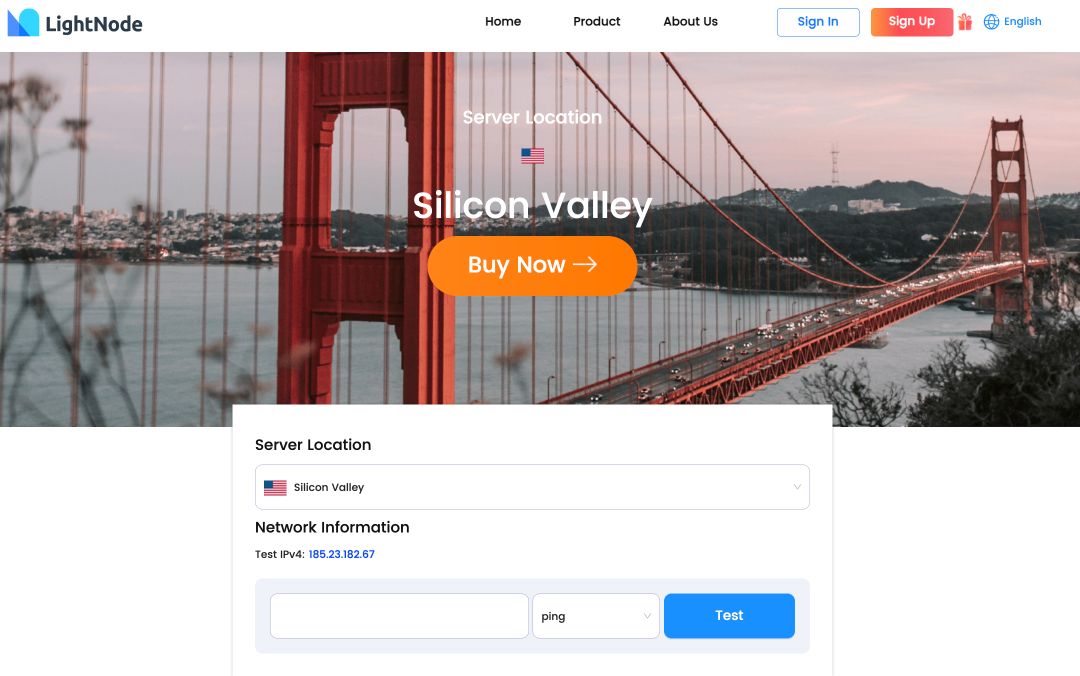
View LightNode USA VPS · Test the Silicon Valley network
2. VPSServer — Best Choice of US Cities

VPSServer advertises deployment in New York, Dallas, Chicago, Atlanta, Miami, Los Angeles, Silicon Valley, and Seattle. The lowest US configuration included in this comparison is the publicly presented 2 GB plan at $14 per month. Licences, management, and add-ons are not included in the base estimate.
| Public preset | vCPU | Memory | Storage | Transfer | Advertised price |
|---|---|---|---|---|---|
| Popular plan | 2 | 2 GB | 50 GB NVMe | Up to 5 TB* | $14/mo |
| Larger preset | 4 | 4 GB | 80 GB NVMe | Up to 5 TB* | $30/mo |
*These are the public presets shown on VPSServer's site. The service also has a configurable calculator and different server types, so CPU allocation, traffic, storage, licences, management, and the final price depend on the selected configuration.
Best for: buyers who need a specific US city instead of a generic “USA” location.
Strengths
- One of the broadest advertised selections of US regions in this comparison.
- KVM, NVMe storage, Linux, and Windows are advertised.
- Usage-based options and a location-testing directory are available.
Limitations
- The exact total depends on configuration, operating system, support, and add-ons.
- Promotional trial credit requires eligibility and should not be treated as permanent free hosting.
- Provider-published uptime and performance statements still require independent validation.
View VPSServer USA plans · Open the location test directory
3. Cloudzy — Lowest Comparable 2 GB Promotional Price

Cloudzy currently advertises five US regions: Utah, Dallas, Los Angeles, New York, and Miami. The lowest US configuration retained in this comparison is its 2 GB plan at $7.48 per month during the current promotion, or $14.95 at the listed regular price. Lower-capacity platform-wide offers were excluded because availability in a selectable US region was not confirmed for this comparison.
| Memory | vCPU | Storage | Transfer | Promotional price | Regular price |
|---|---|---|---|---|---|
| 2 GB | 1 | 60 GB NVMe | 3 TB | $7.48/mo | $14.95/mo |
| 4 GB | 2 | 120 GB NVMe | 5 TB | $14.48/mo | $28.95/mo |
| 8 GB | 4 | 240 GB NVMe | 7 TB | $26.48/mo | $52.95/mo |
| 12 GB | 4 | 300 GB NVMe | 8 TB | $34.98/mo | $69.95/mo |
| 16 GB | 8 | 350 GB NVMe | 10 TB | $49.98/mo | $99.95/mo |
| 24 GB | 8 | 450 GB NVMe | 12 TB | $69.98/mo | $139.95/mo |
| 32 GB | 12 | 750 GB NVMe | 12 TB | $109.98/mo | $219.95/mo |
| 64 GB | 16 | 1.5 TB NVMe | 16 TB | $199.98/mo | $399.95/mo |
Best for: price-sensitive websites, SaaS applications, trading bots, and other US-hosted workloads that fit its shared-vCPU plans.
Strengths
- Five advertised regions provide coast-to-coast choice.
- NVMe storage and dedicated IPv4 are advertised.
- A public Looking Glass is available.
- Cryptocurrency payment is advertised.
Limitations
- The promotional price does not represent the regular long-term cost.
- Compare the regular renewal price as well as the initial discount.
- Confirm Windows availability and licence cost on the exact plan.
View Cloudzy USA VPS · Test the Cloudzy network
4. Vultr — Established Developer Cloud

Vultr is a practical option for developers who value a mature API, hourly billing, snapshots, firewalls, and a large cloud platform. It advertises multiple US regions, but stock and prices can differ by city and compute family.
Vultr pricing note: Vultr does not have one fixed USA VPS price table. It offers Shared CPU, High Performance, High Frequency, Dedicated CPU, and other compute families, with availability and price varying by region. Because a single static table would mix different products or become outdated, use the official configurator to compare the live plans available in your selected US region.
Best for: development environments, APIs, application hosting, and teams already using infrastructure automation.
Strengths
- Hourly billing with a monthly cap on many compute plans.
- Multiple US regions and a public Looking Glass system.
- Linux images, Windows options, API access, snapshots, and private networking.
Limitations
- Windows licensing, backups, extra storage, and bandwidth can add cost.
- Shared, regular-performance, high-frequency, and dedicated compute should not be compared as if they were the same product.
- Check the live configurator because regional stock and pricing change.
View Vultr · Read Vultr Looking Glass information
5. HostAccent — Hyper-V Option

HostAccent advertises Windows VPS using Hyper-V virtualization. Its public Windows VPS page lists four packages and says the Windows licence is included, but the exact US city and current stock were not clearly verifiable from a public node-test page at the time of this update.
| Plan | vCPU | Memory | Storage | Transfer | Dedicated IPs | Advertised price |
|---|---|---|---|---|---|---|
| Basic | 1 | 1 GB | 25 GB SSD | 200 GB | 1 | $14.99/mo |
| Medium | 2 | 2 GB | 50 GB SSD | 500 GB | 1 | $29.99/mo |
| Ultimate | 2 | 4 GB | 50 GB SSD | 1 TB | 2 | $44.99/mo |
| Business | 4 | 8 GB | 150 GB SSD | 1 TB | 3 | $69.99/mo |
Best for: users specifically looking for a Hyper-V VPS who are willing to confirm location, stock, and network details with sales before paying.
Strengths
- Licensed Windows VPS plans are publicly advertised.
- Hyper-V may suit workloads built around the Microsoft virtualization ecosystem.
Limitations
- No clearly published US Looking Glass was found during this update.
- “USA” is less useful than a named city for latency planning.
- Treat the listed price as provisional until confirmed at checkout.
6. HostUS — Budget KVM VPS

HostUS advertises US locations including Atlanta, Dallas, Los Angeles, and Washington. This comparison starts with the 2 GB KVM-2 plan at $10.95 per month, the lowest configuration for which a selectable US location was retained in our comparison.
| Plan | vCPU | Memory | Storage | Transfer | Advertised price |
|---|---|---|---|---|---|
| KVM-2 | 2 | 2 GB | 60 GB SSD | 2 TB | $10.95/mo |
| KVM-3 | 3 | 3 GB | 75 GB SSD | 3 TB | $15.95/mo |
| KVM-4 | 4 | 4 GB | 90 GB SSD | 4 TB | $22.95/mo |
| KVM-6 | 5 | 6 GB | 120 GB SSD | 5 TB | $34.95/mo |
| KVM-8 | 6 | 8 GB | 150 GB SSD | 6 TB | $49.95/mo |
| KVM-12 | 8 | 12 GB | 200 GB SSD | 8 TB | $69.95/mo |
| KVM-16 | 8 | 16 GB | 250 GB SSD | 10 TB | $89.95/mo |
| KVM-32 | 16 | 32 GB | 320 GB SSD | 10 TB | $120/mo |
Best for: small Linux websites, monitoring tools, VPN labs, and development projects that fit within a shared-CPU entry plan.
Strengths
- A 2 GB KVM plan is advertised from $10.95 per month.
- Several US city choices.
- KVM and Linux are advertised.
Limitations
- HostUS currently lists Windows Server among its supported KVM operating systems, but buyers should confirm licence availability and cost for the chosen US location.
- No clearly published Washington node test was found during this update.
- Confirm current stock and final price before purchase.
How to Choose a USA VPS
Use this order of priority:
- Location and route: test latency, packet loss, and traceroute from your users’ networks.
- Workload: a small website may need 1–2 GB RAM; databases, game servers, Windows, and container stacks usually need more.
- CPU policy: determine whether vCPU is shared, burstable, dedicated-thread, or dedicated-core.
- Storage: compare NVMe/SSD type, capacity, IOPS limits, and snapshot or backup costs.
- Bandwidth: verify included transfer, port speed, overage rate, and DDoS policy.
- Management: unmanaged VPS is cheaper but requires you to secure and maintain the operating system.
- True checkout price: include IPv4, Windows, backups, tax, renewal price, and minimum term.
For a fair comparison, configure every provider with the same region class, operating system, RAM, storage, transfer, and billing period.
USA VPS FAQ
What is the best USA VPS?
Our current overall pick is LightNode for flexible Linux and Windows workloads, including websites, business applications, and remote desktops. VPSServer is better when you need a specific choice among several US cities. Cloudzy has the lowest comparable promotional price for a 2 GB plan in this comparison, but buyers should also compare its regular price.
What is the cheapest USA VPS?
Among the US configurations retained in this comparison, Cloudzy has the lowest promotional price for a 2 GB plan at $7.48 per month. LightNode follows at $7.71 per month, HostUS at $10.95, and VPSServer at $14. These plans still differ in CPU policy, storage, bandwidth, IPv4, operating-system costs, renewal price, and billing flexibility.
Which USA VPS location is best for nationwide users?
Dallas or Chicago is a sensible first test for a nationwide audience because of its central position. However, actual latency depends on carrier routing and peering. If most users live on one coast, deploy closer to that coast or use a CDN in front of the application.
Is a USA VPS suitable for users in Asia?
A West Coast location such as Silicon Valley, Los Angeles, or Seattle can work well for Asia-Pacific traffic, but results vary significantly by ISP and route. Test the provider from the target country before committing to a long billing term.
Do I need a managed or unmanaged USA VPS?
Choose managed VPS hosting if you do not want to handle operating-system updates, firewall rules, monitoring, backups, and incident response. Choose unmanaged hosting if you can administer Linux or Windows yourself and want more control at a lower base price.
Can I run Windows on a USA VPS?
Yes. LightNode, VPSServer, Vultr, HostAccent, and HostUS advertise Windows options for at least some plans. Confirm the supported Windows Server version, licence fee, minimum RAM, and availability in your chosen US location. HostAccent says its listed Windows plans include the licence; do not assume that applies to other providers.
When should I move from shared hosting to a VPS?
Move when shared hosting limits CPU, memory, software access, background processes, or traffic growth—or when you require root access and an isolated environment. A VPS provides more control, but an unmanaged VPS also transfers security and maintenance responsibility to you.
Related VPS Guides
- North America VPS providers
- Canada VPS providers
- Best VPS hosting providers
- Free VPS options and cloud trials
- VPS frequently asked questions
Update Log
- August 1, 2026: Added a named editorial author, Article modification time, and FAQ structured data; verified that the FAQ contains no unrelated geography and that provider/location counts are consistent.
- July 30, 2026: Removed lower-capacity offers whose availability in a selectable US region was not confirmed; synchronized starting prices across the summary, provider reviews, FAQ, and update log.
- July 30, 2026: Added provider-by-provider price tables; revised LightNode's best-use description to cover websites, business applications, and remote desktops; refreshed HostUS and HostAccent packages from their public catalogues.
- July 30, 2026: Rebuilt the comparison methodology; corrected the obsolete VPSServer and Cloudzy pricing/location information; added pricing caveats, location guidance, source links, affiliate disclosure, direct-answer FAQs, and an update log; removed unsupported performance claims and the unrelated Phnom Penh reference.